Alvise C.
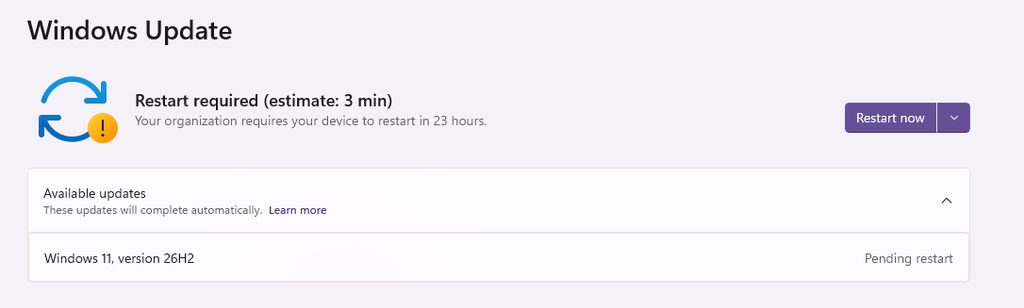
Microsoft began rolling out on 29 September 2026 the rollout of Windows 11 26H2, also known as Windows 11 2026 Update. The release is gradual: general availability does not mean that every PC will receive the update right away.
For eligible devices running Windows 11 24H2 or 25H2, the upgrade is delivered via a small enablement package. Before proceeding, however, it is worth checking the known issues, especially in business environments, as well as prepare the system adequately.
A faster update thanks to the enablement package
26H2 shares with 24H2 and 25H2 the same system foundation and servicing branch. The enablement package activates components already distributed through monthly updates, so eligible PCs only need a small download and a restart.
To check availability, open Settings > Windows Update and enable the option to get the latest updates as soon as they’re available. . If 26H2 does not appear, it does not necessarily mean that Windows Update has a problem.
What’s new in 26H2: security, management, and accessibility
Microsoft’s guide for IT professionals presents 26H2 as the consolidation of features rolled out over the past year.
New features include Administrator protection, to grant administrative privileges only when needed, and integrated Sysmon, which logs events useful to security tools and remains disabled by default.
Smart App Control can be turned on or turned off without reinstalling Windows. There are also improvements to driver security, post-quantum cryptography, and Windows Hello with compatible external fingerprint sensors.
On the accessibility front, Microsoft reports changes to Magnifier , Narrator, and Voice Access; some features require supported Copilot+ PCs.
26H2 also enables by default some features previously subject to a temporary commercial control, including settings backup, app actions in the taskbar and improvements to File Explorer. Configured policies set by administrators are still respected.
Known issues to check
As of the 30 September check, the dashboard Microsoft lists three issues with the status Mitigated, meaning mitigated; this is not the same as a permanent fix.
| Issue | Scope and symptoms |
|---|---|
| USB audio | Some USB Audio Class 1.0 devices may show Code 10, fail to play audio, or have volume controls that are stuck. |
| Domain trust relationship | Some configurations with Credential Guard and Machine Identity Isolation may prevent sign-in with valid domain credentials. |
| Black screen after sign-in | The issue has been observed mainly on Azure Virtual Desktop hosts with FSLogix; the desktop may not load automatically. |
For the black screen, Microsoft recommends temporarily launching explorer.exe from Task Manager > Run new task. A mitigation is also available through Known Issue Rollback, with a specific policy for managed devices.
For the domain issue, administrators should check the Machine Identity Isolation configuration and follow the official workaround . This is not a fix to apply indiscriminately to all PCs.
Support and business deployment
The support lifecycle for 26H2 is 24 months for Home and Pro and 36 months for Enterprise and Education.
For businesses, Microsoft recommends an initial deployment to a pilot group, checking applications, hardware, and workflows before expanding it. The faster installation makes the transition easier, but it is still advisable to check audio peripherals, domain configurations, and virtual desktops.