 Angolo di Windows
After two weeks of freezes, EXCEPTION_ACCESS_VIOLATION errors and sudden restarts, Redmond closes the case: the culprit isn’t the August update, but the kernel driver inpoutx64, installed by peripherals and components with RGB lighting.
What happened
On 11 August, 2026 Microsoft released KB5121003, the monthly security update for Windows 11 24H2 and 25H2 (build 26100.9168 and 26200.9168). Within days, players began reporting crashes when launching newly released or early-access games. Embark Studios, the studio behind ARC Raiders and THE FINALS, wrote on Discord that the crash was “related to the file inpoutx64.sys, which changed with the Windows update”.
Microsoft opened the case in mid-August, added it to the release notes and published a Registry workaround. On 26 August, at 18:00 Pacific time ( 3:00 on 27 in Italy), automatic mitigation began. A few hours later, the issue was marked Resolved on the Windows release health dashboard, with the identifiers WI1457882 (25H2) and WI1457883 (24H2).
The official conclusion is clear, and partly unexpected: the investigation confirms that the problem is not caused by Windows updates. It occurs on systems that already have a driver (or a component with a similar name) inpoutx64, typically installed by software for controlling RGB lighting, fans or peripherals. Launching certain games is just the trigger.
- 11 August: KB5121003, security security mandatory.
- 16 August: Windows Latest gathers the first reports of crashes in ARC Raiders and THE FINALS.
- 19–24 August: Microsoft opens the issue, documents it and publishes the Registry workaround.
- 26 August: The driver block. Status: resolved.
- September 2026: The block will also arrive with subsequent security updates.
What it looks like
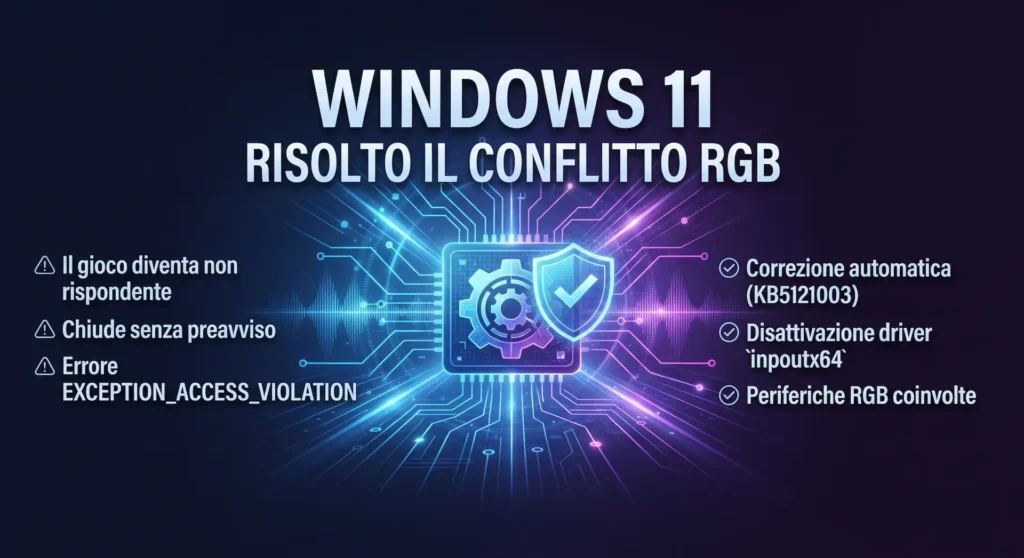
This isn’t a bug that affects every PC with the August update. It requires a combination of an RGB kernel-mode driver and one of the reported games. When it occurs, Microsoft lists four symptoms:
The game stops responding: The application becomes completely unresponsive and must be force-closed using Task Manager.
Silent shutdown: The process suddenly terminates in the background without opening any windows or showing error messages.
Crash EXCEPTION_ACCESS_VIOLATION: A critical illegal memory access error, typical of conflicts caused by drivers in kernel mode.
Unexpected restart: In certain circumstances, the operating system immediately forces a restart, often without showing the blue screen (BSOD).
The three games cited by Microsoft
Microsoft lists three titles in its official notices. However, the status of the fixisn’t the same for all of them.
ARC Raiders
Embark Studios
MICROSOFT BLOCK ACTIVE
The driver block targets PCs with this game installed and inpoutx64 enabled.
MARVEL Tōkon: Fighting Souls
Arc System Works / Marvel
Block being extended
Microsoft is extending the same mitigation to this title as well.
THE FINALS
Embark Studios
Resolved by the studio
Embark fixed the game-side issue. The Windows block isn’t needed.
| Platform | Message ID | Source KB | Resolving KB |
|---|---|---|---|
| Windows 11, version 25H2 | WI1457882 | KB5121003 | — |
| Windows 11, version 24H2 | WI1457883 | KB5121003 | — |
Resolved, KB field empty: closure doesn’t mean a new package; it’s an out-of-band driver block.
What inpoutx64 is, and why it’s on gaming PCs
inpoutx64.sys is a third-party kernel driver that provides direct access to I/O ports. It isn’t part of Windows. It comes with RGB lighting utilities, fan control software, motherboard software or peripheral tools—Microsoft refers to “peripherals or internal device components which have RGB lighting features”. In the community, it has been associated, among other things, with Razer update tools and control suites for hardware.
It’s a powerful piece of old code: it runs in kernel mode, so an incorrect memory access doesn’t just close an app; it can freeze the game process or restart the machine. After KB5121003 something about how Windows and that driver interact changed enough to cause some anti-cheat systems and game runtimes to fail. In the first few days, Embark described the file as “changed with the Windows update”. With the investigation complete, Microsoft reverses the causal link: the update exposed an incompatibility in the driver, not the operating system.
If the Registry doesn’t contain the key inpoutx64, the PC isn’t affected by the bug. There’s no need to change anything, and no need to uninstall KB5121003: it’s a security update, not an optional extra.
How Microsoft closed the case
The fix isn’t a new cumulative update. It’s a driver block: Windows prevents inpoutx64from loading. For now, the block affects devices that have that driver active and ARC Raiders installed. When the game starts, a window appears explaining that the driver has been disabled; after the message, the game launches normally.
The mitigation is automatically distributed to consumer and business PCs not managed by the IT department. A restart is required. Microsoft warned that it may take up to 24 hours from 18:00 PT on 26 August 2026. The same block will be included in security updates for September 2026 and later releases. On enterprise-managed devices, automatic deployment doesn’t start: administrators must apply the workaround (or an equivalent policy).
Two practical notes.
1: it’s safe to apply the workaround even if the block is about to arrive or has already arrived.
2: Microsoft is still working to extend the block to MARVEL Tōkon: Fighting Souls. If you only play THE FINALS , you can consider the case closed by Embark.
Workaround: disable the driver in the Registry
If the block hasn’t arrived yet, if the PC is managed by IT, or if you’re playing Tōkon while waiting for the extension, Microsoft recommends a temporary solution: set the startup value for the service inpoutx64 to 4 (disabled).
Back up the Registry before making any changes. Microsoft repeats this in every line of the notice. Official instructions: How to back up and restore the registry in Windows.
- Open the Start menu, type regedit and launch Registry Editor.
- Go to the inpoutx64 service key, using the tree on the left or pasting the path into the address bar.
- In the right pane, double-click the Start value and set Value data to 4 (which disables the service)
- Close the editor and restart the computer.
Path to copy
HKEY_LOCAL_MACHINE\SYSTEM\CurrentControlSet\Services\inpoutx64
Microsoft says that, for now, disabling this key doesn’t seem to cause unexpected side effects. However, earlier notes for KB5121003 warned that RGB lighting and control software might stop responding; if that happens, simply restore the previous value from the backup. The standard values for Start are 0 (boot), 1 (system), 2 (automatic), 3 (manual), 4 (disabled).
In the preceding days, Embark had suggested a more aggressive approach: sc stop inpoutx64, sc delete inpoutx64 and deleting C:\Windows\System32\drivers\inpoutx64.sys. It works, but it can’t be undone without reinstalling the software that installed the driver. Microsoft’s workaround is more conservative and is the one to use on managed PCs.
What to do now
- Don’t uninstall KB5121003: it’s the August security update. Removing the patch to launch a game is the wrong trade-off.
- Restart and wait for the blockOn PCs not managed by IT, the mitigation arrives automatically. A restart is required. Window: up to 24 hours from 26 August, at 18 PT.
- If ARC Raiders still won’t launch, apply the Registry workaround (Start = 4) and restart. It’s compatible with the block when it arrives.
- For THE FINALS and Tōkon, it’s up to Embark. The block for this title is still being extended: use the Registry workaround if the crashes continue.